
RECALIBRATE WITH CONFIDENCE:
EXPERIENCE THE POWER OF THE LATEST SOFTWARE.
EXPERIENCE THE POWER OF THE LATEST SOFTWARE.
Advanced Driver Assistance Systems (ADAS) are now standard on modern vehicles, with features like adaptive cruise control, lane departure warning and automatic emergency braking. For independent shops, this growth means recalibration is no longer optional — it’s an essential step on a growing number of vehicle repairs and maintenance tasks.
Discover what’s hot in the latest diagnostic software release and see how we’ve got your back with dedicated ADAS content, giving you the critical repair information you need to diagnose, repair and recalibrate with confidence.
TYPES OF ADAS
RECALIBRATION.
RECALIBRATION.
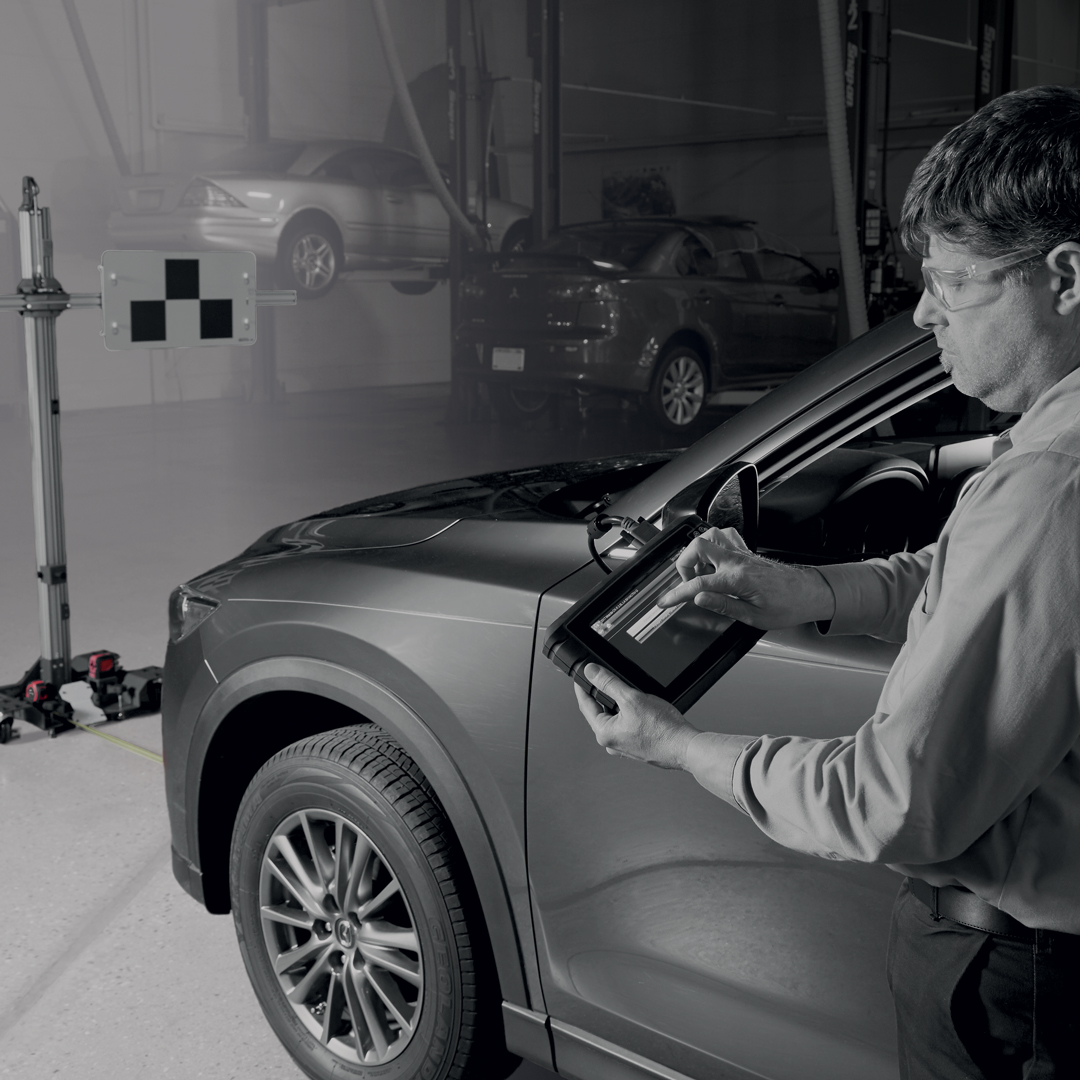
Snap-on® diagnostic tools support the full range of manufacturer-specified recalibration methods, with built-in step-by-step workflows:
Static recalibration – Uses physical targets or patterns in a controlled workshop environment. The tool communicates with the vehicle to verify sensor accuracy.
Dynamic recalibration – Performed on the road under specific speed, distance, and traffic conditions. The tool provides live prompts and confirmation.
Initialization – Required after new component installation, setting baseline system parameters to restore function.

BUILDING A CONSISTENT
DIAGNOSTIC WORKFLOW.
DIAGNOSTIC WORKFLOW.
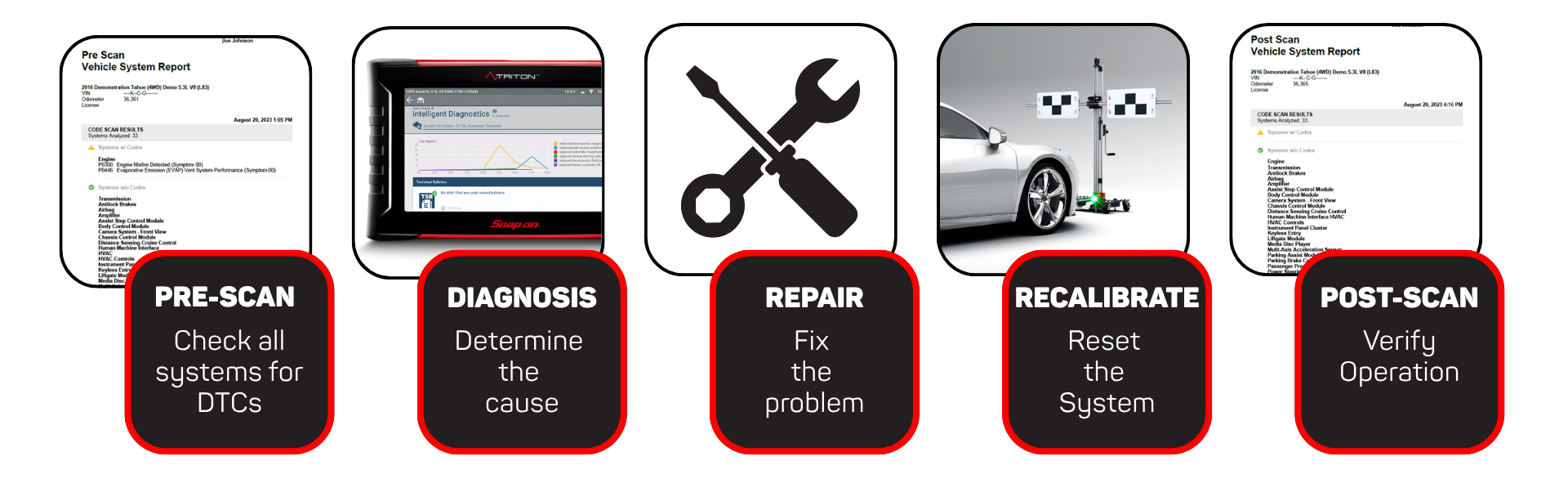
The recalibration process fits into a broader workflow:
- Pre-scan: Identify fitted systems and fault codes
- Repair: Replace or adjust components
- Recalibrate: Perform required procedures with your Snap-on® platform and ADAS Recalibration Equipment
- Post-scan: After completing the repair, perform a post-scan to confirm it was fixed properly
This process applies whether addressing a single ADAS fault or a multi-system repair after a collision.
WHY ADAS
RECALIBRATION MATTERS.
RECALIBRATION MATTERS.
Modern vehicles depend on an intricate network of cameras, radar, lidar, and ultrasonic sensors to keep drivers safe. The smallest misalignment—just a few millimetres—can make a big difference. A radar mounted slightly off-centre may delay braking or fail to detect obstacles, while a camera misaligned by fractions of a degree can misread lane markings or overlook hazards. Even minor errors can compromise vital systems such as adaptive cruise control, lane-keeping, or blind spot monitoring.
Our latest Technical Focus article takes a deeper look at ADAS recalibration—exploring real-world examples, step-by-step workflows, and how Snap-on® diagnostic tools give you the accuracy and guidance to handle these complex procedures with confidence.

WHAT'S HOT FOR ADAS
IN THE LATEST SOFTWARE RELEASE.
IN THE LATEST SOFTWARE RELEASE.
BMW® ADAS
ADAPTIVE CRUISE CONTROL.
ADAPTIVE CRUISE CONTROL.
FRS recalibration is required on many vehicles whenever the sensor is removed, refitted, or replaced.
The following targeted procedure demonstrates this special function in action on a BMW® 2-Series Adaptive Cruise Control front radar, performed on a Snap-on® Diagnostic Tool running the latest software.

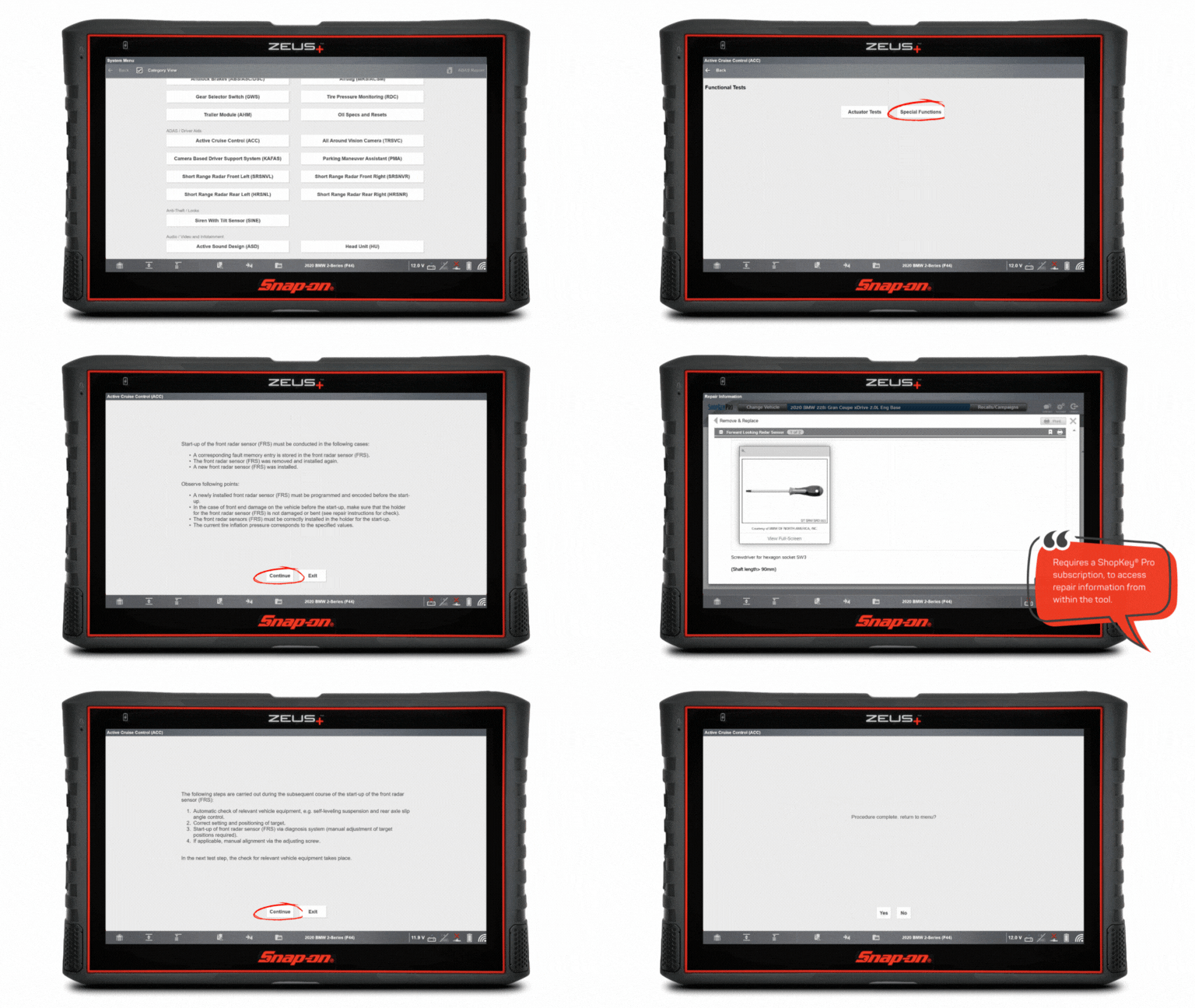
Operational Steps:
- From the Vehicle Systems Menu, select Engine.
- Adaptive Cruise Control (ACC)
- Functional Tests> Special Functions
- Front Radar Sensor: Start-up
- Follow the on screen instructions prior to commencing the procedure
ADAS RECALIBRATION:
TRAINING CONTENT.
TRAINING CONTENT.
SCHOOL
IN THE TOOL.
IN THE TOOL.
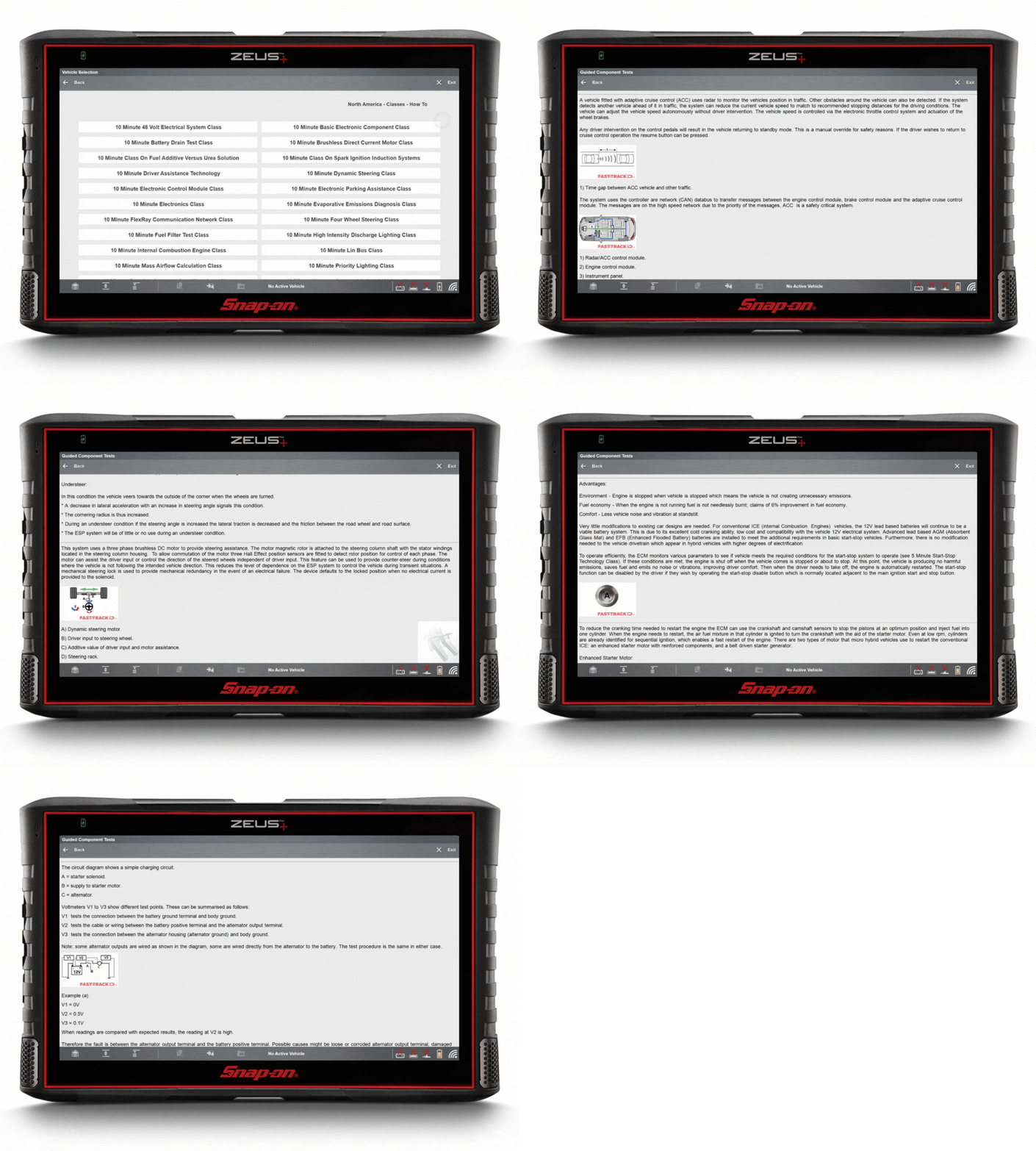
Did you know Fast-Track® Guided Component Tests come with built-in training classes? This exclusive feature transforms your diagnostic platform into an on-demand learning hub.
Navigate to the Top Level Menus to access a dedicated library of practical “how-to” classes covering real-world topics, including:
- 10 min – Driver Assistance Technology Class
- 10 min – Electronic Parking Assistance Class
- 10 min – Dynamic Steering Class
- 15 min – Voltage Drop Diagnosis Class
- 20 min – CAN Bus Class
…and many more!
Exclusively available on MODIS®, TRITON™, ZEUS® & Vantage® platforms with current software.
TAKE A DEEPER DIVE
INTO ADAS RECALIBRATION.
INTO ADAS RECALIBRATION.
Many common repairs, from bumper replacement to suspension work, can affect ADAS sensors and vehicle safety systems. Snap-on® Diagnostic Software provides full ADAS coverage at no extra charge, plus guided recalibration workflows, and exclusive functionality to simplify even the most complex ADAS procedures.
With continuous software updates, you’ll have access to manufacturer-specific calibration steps, pre- and post-scan diagnostics, live functional tests, and reporting features—helping you restore system accuracy quickly and prevent costly comebacks.
Dive deeper in our technical focus article to explore real-world ADAS recalibration procedures, step-by-step workflows, and how Snap-on® tools give you confidence and control over every repair.

DISCOVER THE
POWER INSIDE
YOUR DIAGNOSTIC PLATFORM.
POWER INSIDE
YOUR DIAGNOSTIC PLATFORM.
To cut through the complexity, Patented Fast-Track® Troubleshooting workflow and filtered information bring focus to the specific vehicle and code you’re working on, including:
- SureTrack® Top Repairs Graph
- Real Fixes
- Technical Bulletins
- Smart Data
- Functional Tests and Resets
- Complete Code Scan
- Guided Component Tests
- Service Resets and Relearns
ONLINE VEHICLE
COVERAGE GUIDE.
COVERAGE GUIDE.
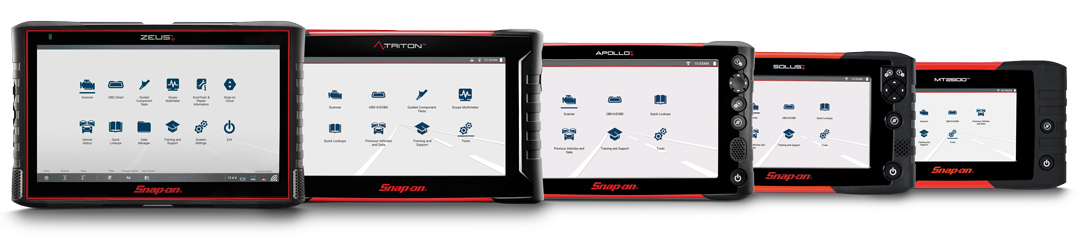
Coverage for 50 manufacturers and expanding with every upgrade
The latest software release gives your diagnostic tool new model year updates, guided tests, and thousands of SureTrack® Real Fixes and PID Flags.
Continuously updated cloud resources provide proven repairs, verified parts, and the industry’s broadest coverage.
With manufacturer-level capabilities, consistent navigation, and fast access to key specifications, Snap-on® keeps you ready to tackle even the toughest jobs.

Need to Upgrade?
Purchase A Software Plan
Keep your tool performing at its best. Software options help you diagnose problems faster and tackle even the toughest repairs with confidence. Click below for more information or contact your Snap-on® Franchisee for the latest software deals.
Already a Subscriber?
Download the Latest Software
If you are a software subscriber, purchased a prepaid plan or participated in a free software offer, you can perform your own software installation by downloading the latest software release through the ShopStream® Self-Service application, quickly and easily.

©2025 Snap-on Incorporated. All rights reserved.